You may need to sign out of the RL Authenticator for reasons such as to protect your account from unauthorized access, especially on shared or public devices or in order for new security roles to take effect.
-
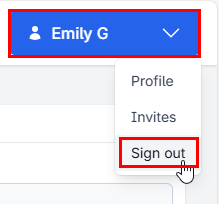
Select the blue button with your name in the upper right corner of the screen.
-
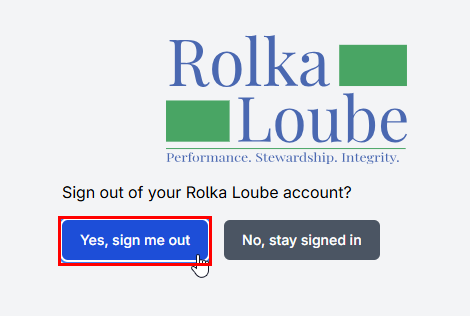
Select Sign Out from the drop-down menu. The Sign Out confirmation box appears.
-
Select Yes, sign me out. The message, You have successfully signed out of your Rolka Loube account appears.
-
You may now close your web browser.