
If your audit report is not initially accepted by the FCC, follow the process below to replace the attachment and resubmit for processing.
Use the following steps to resubmit an Audit Report.
-
Log in to the NDBEDP Centralized Database. The NDBEDP Centralized Database Home page appears.
-
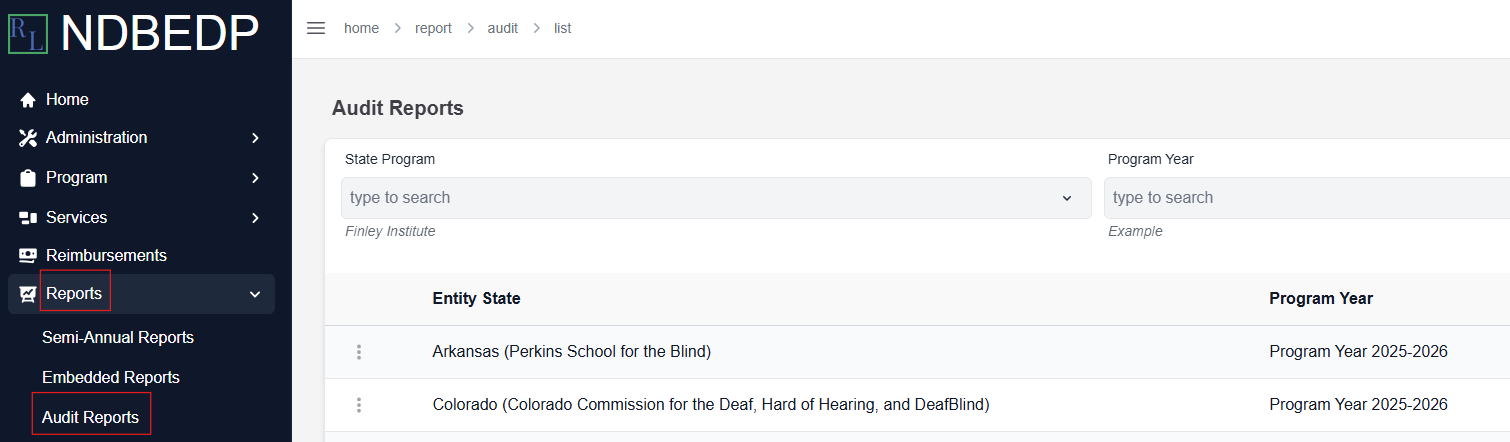
Select Reports from the navigation panel.
-
Select Audit Reports from the drop-down menu.
-
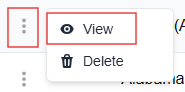
Select the three dots next to the Audit Report you want to resubmit.
-
Select View. The Audit Report Details page appears.
-
Select the Attachments tab.
-
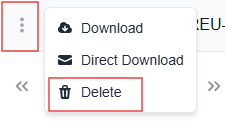
Select the three dots next to the attachment you want to replace.
-
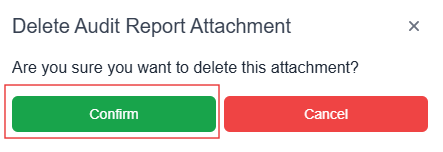
Select Delete. The Delete Audit Report Attachment pop-up window appears.
-
Select Confirm. The message Successfully deleted Attachment! appears in green.
-
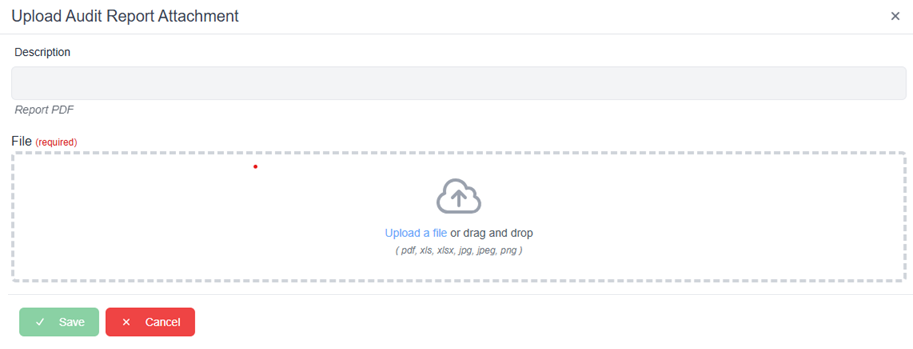
Select + New. The Upload Audit Report Attachment pop-up window appears.
-
Enter a description for the new attachment in the Description field.
-
Select Upload a file or drag and drop the attachment file into the upload area.
Note: Supported file types include PDF, XLS, XLSX, JPG, JPEG, and PNG. -
Select Save. The message Successfully uploaded Attachment! appears in green.