
Use the following steps to add additional attachments for individual costs.
-
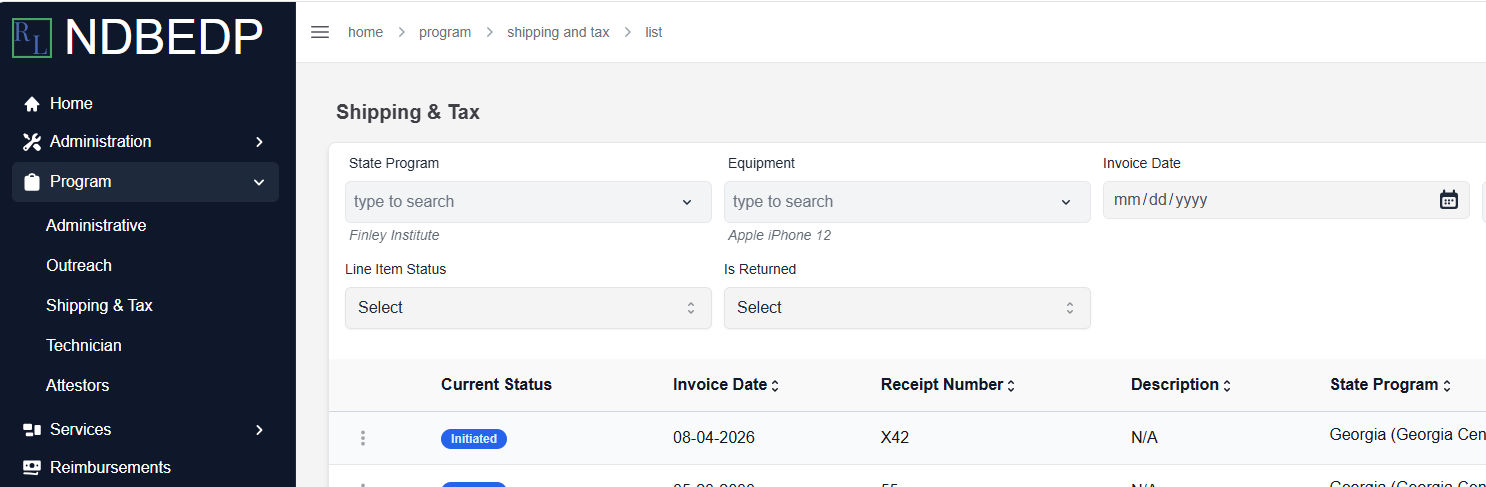
Log in to the NDBEDP Centralized Database. The NDBEDP Centralized Database Home page appears.
-
Select the cost category to which you want to add the attachment from the navigation panel.
-
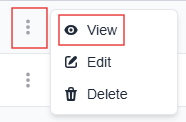
Select the three dots next to the line item to which you want to add the additional attachment(s).
Note: The line item you select must have one or more pre-existing Cost Attachments. -
Select View from the drop-down menu. The [Category] Details page appears.
-
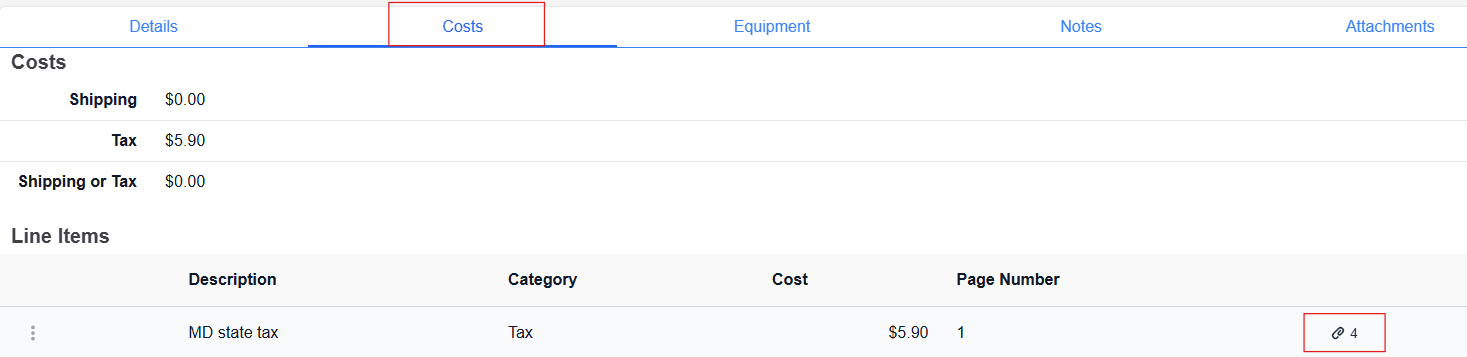
Select the Costs tab.
-
Select the paperclip icon. The Line Item Attachments pop-up window appears.

-
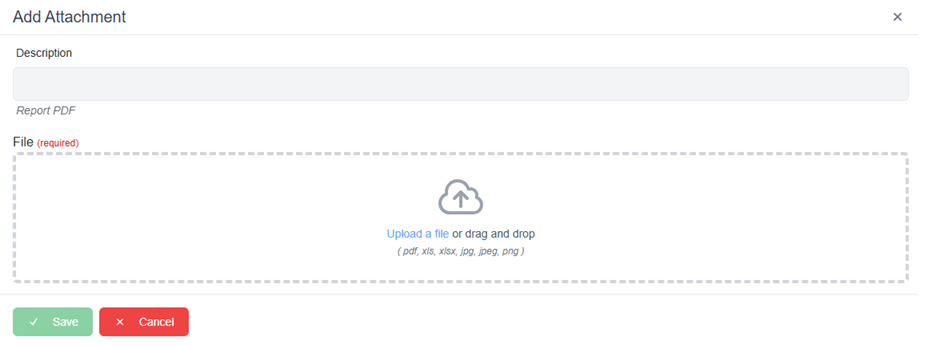
Select + New. The Add Attachment pop-up window appears.
-
Enter a description for the attachment in the Description field.
-
Select Upload a file or drag and drop the attachment file into the upload area.
Note: Supported file types include PDF, XLS, XLSX, JPG, JPEG, and PNG. -
Select Save. The message Successfully uploaded Attachment! appears.