
Use the following steps to add an Attestor.
-
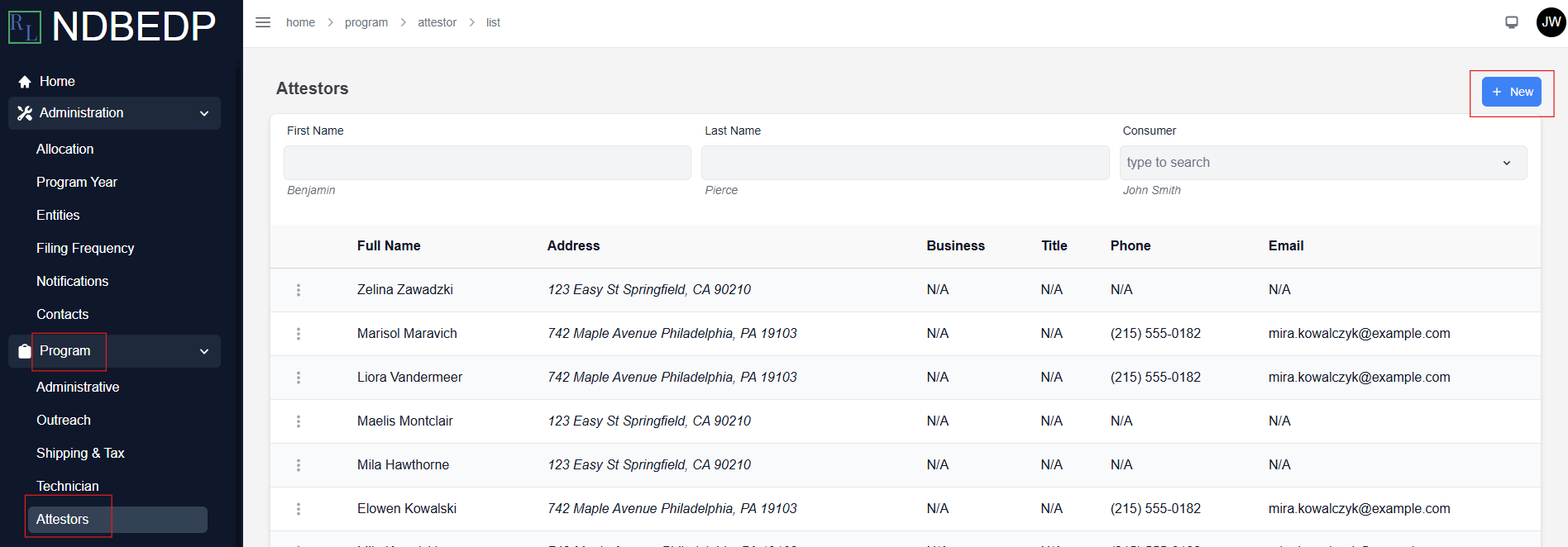
Log in to the NDBEDP Centralized Database. The NDBEDP Centralized Database Home page appears.
-
Select Program from the navigation panel.
-
Select Attestors from the drop-down menu.
-
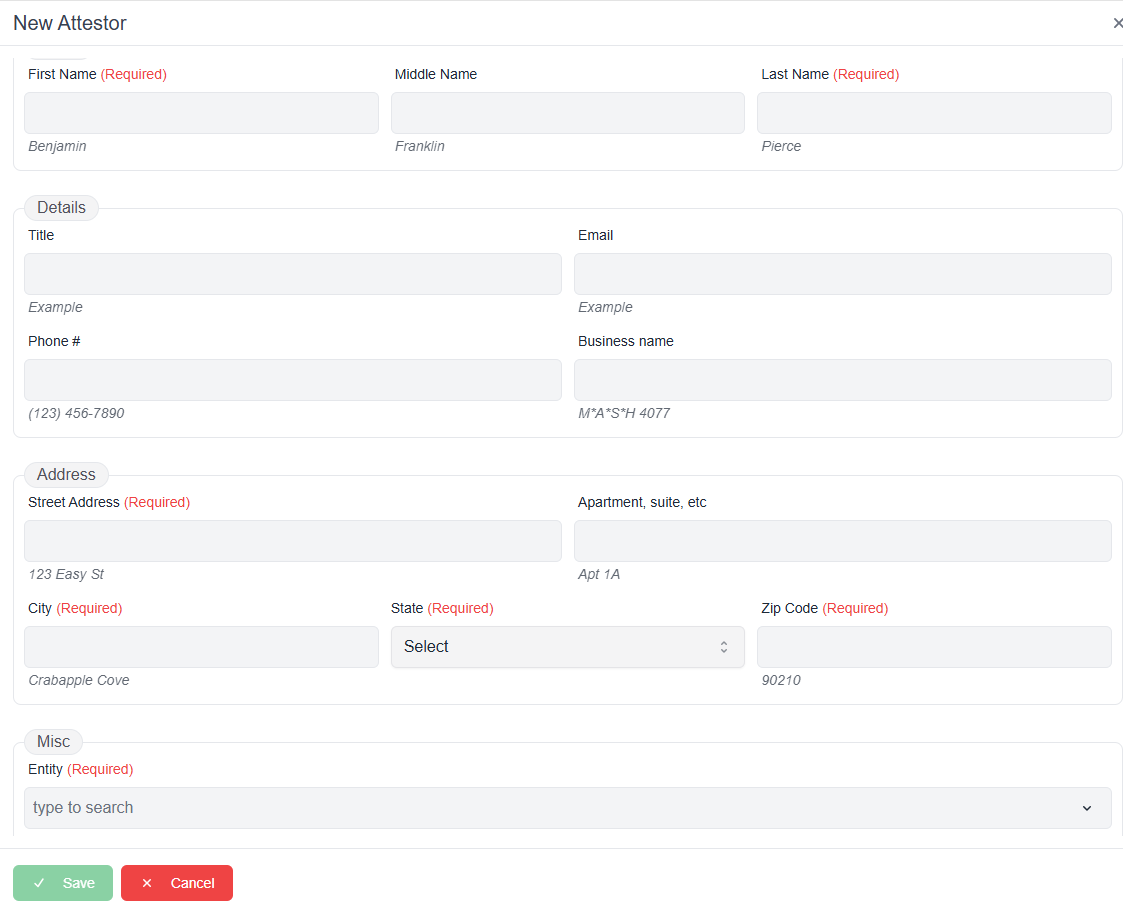
Select + New. The New Attestor pop-up window appears.
-
Complete the required fields:
-
-
First Name
-
Last Name
-
Street Address
-
City
-
State
-
Zip Code
-
Entity
-
-
Select Save. The message Successfully created Attestor! appears in green.