
Use the following steps to add an Outreach.
-
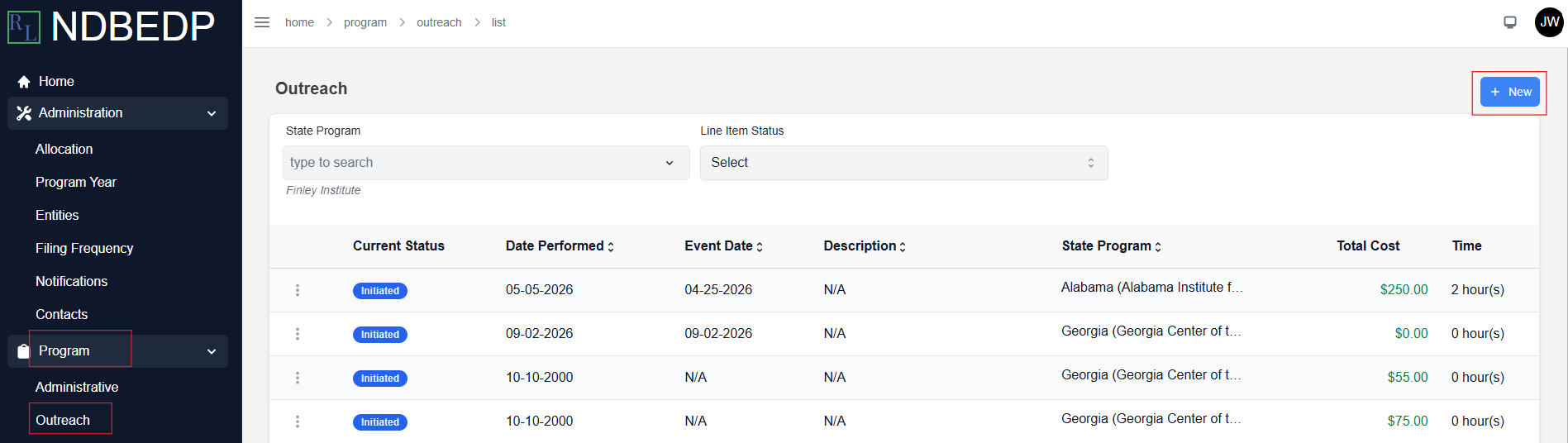
Log in to the NDBEDP Centralized Database. The NDBEDP Centralized Database Home page appears.
-
Select Program from the navigation panel.
-
Select Outreach from the drop-down menu.
-
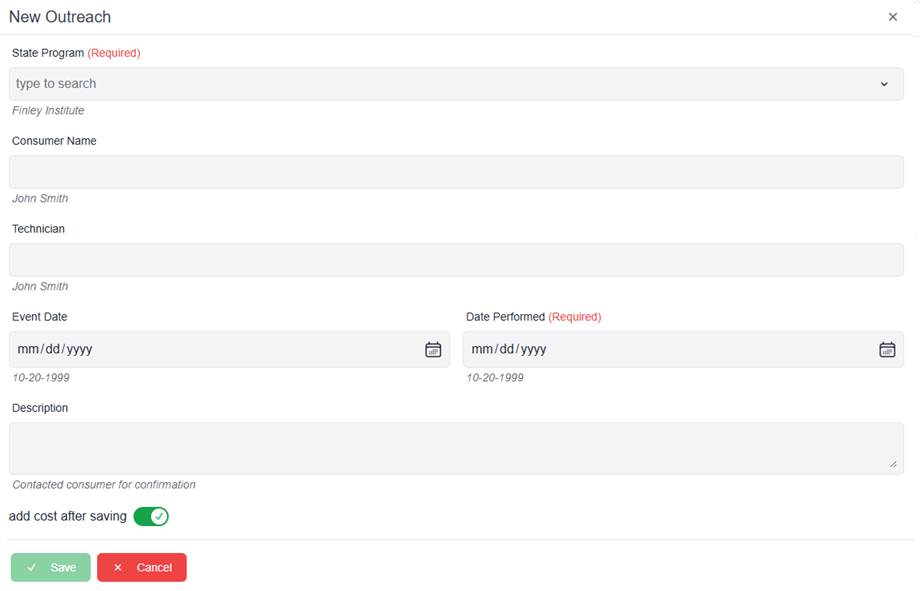
Select + New. The New Outreach pop-up window appears.
-
Complete the required fields:
-
-
State Program
-
Date Performed
-
-
Enter a description of the Outreach in the Description field.
-
Deselect the add cost after saving toggle if you do not want to add costs.
Note: See Costs for more information on how to add costs. -
Select Save. The message Successfully created Outreach! appears in green.