
Use the following steps to search for a Mass Cost.
-
Log in to the NDBEDP Centralized Database. The NDBEDP Centralized Database Home page appears.
-
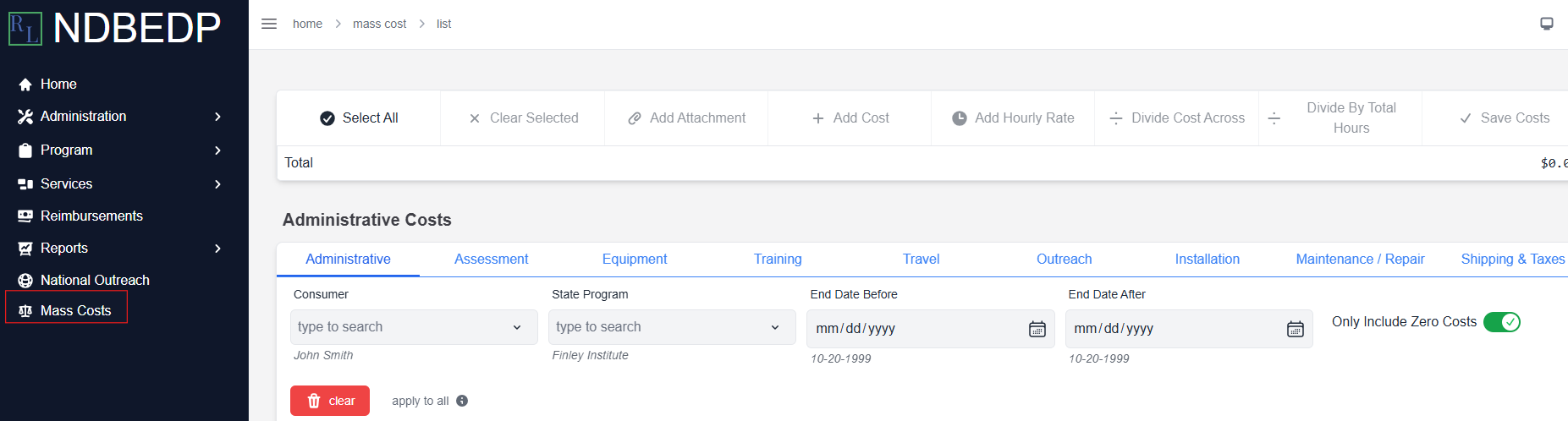
Select Mass Costs from the navigation panel.
-
Select the tab for the category to which you want to add a Mass Cost.
-
Enter your search criteria into the field or select it from the drop-down menu. The list of Mass Costs will filter based on your criteria.
Note: Deselect the Only Include Zero Costs toggle if you want to include Mass Costs of other amounts.