
Use the following steps to subscribe to Notifications.
-
Log in to the NDBEDP Centralized Database. The NDBEDP Centralized Database Home page appears.
-
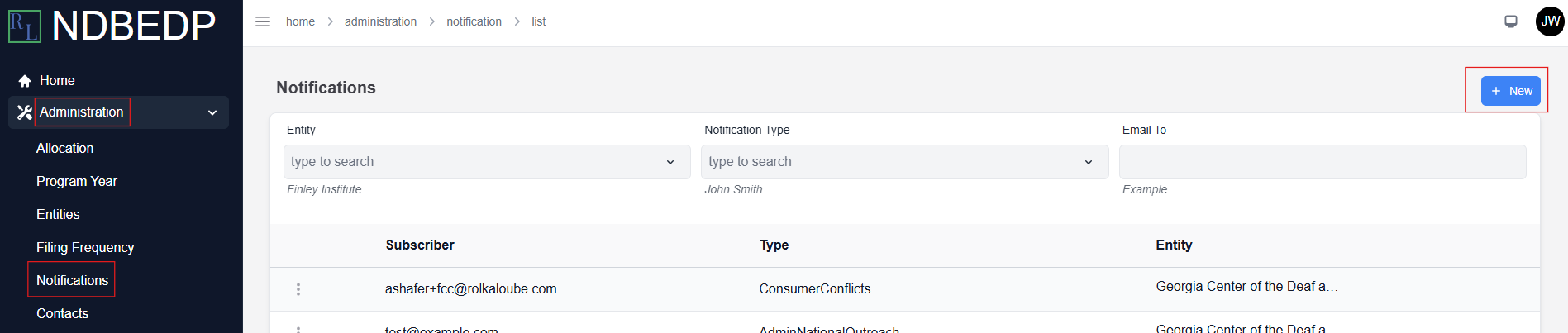
Select Administration from the navigation panel.
-
Select Notifications from the drop-down menu.
-
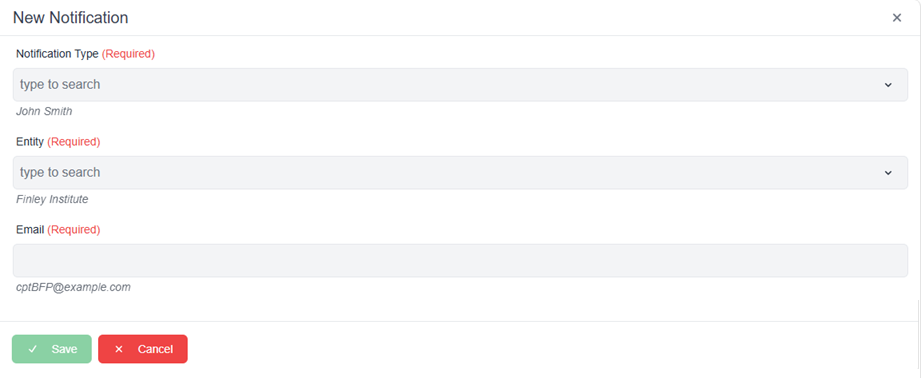
Select + New at the top of the page. The New Notification pop-up window appears.
-
Select the notification type you want to receive from the Notification Type drop-down menu.
-
Select the entity for which you want to receive Notifications from the Entity drop-down menu.
-
Enter the email address where you want the Notifications sent in the Email field.
-
Select Save. The message Successfully subscribed to notification(s)! appears in green.