
Use Time-based One-Time Password (TOTP) two-factor authentication to enhance your account security. This method will require you to verify your identity by entering a temporary code generated by an authenticator app linked to your account.
Activate TOTP Two-Factor
If your TOTP two-factor authentication is not yet enabled and you want to activate it, use the following steps.
-
Sign in to the Rolka Loube Authenticator.
-
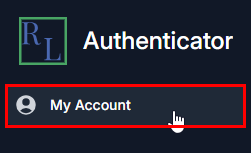
Select My Account from the navigation panel on the left. The Profile page appears.
Note: You can also select the blue button with your name in the top right corner. Then, select My Profile from the drop-down menu.
-
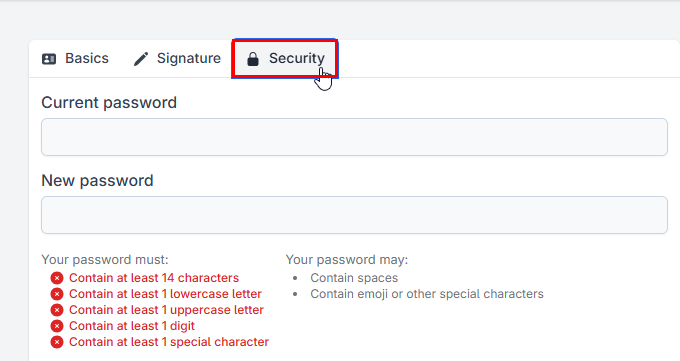
Select the Security tab.
-
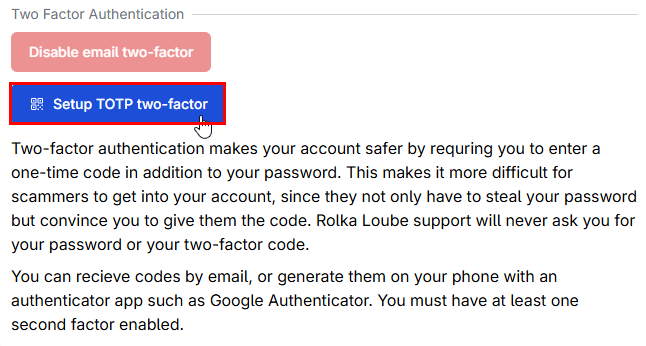
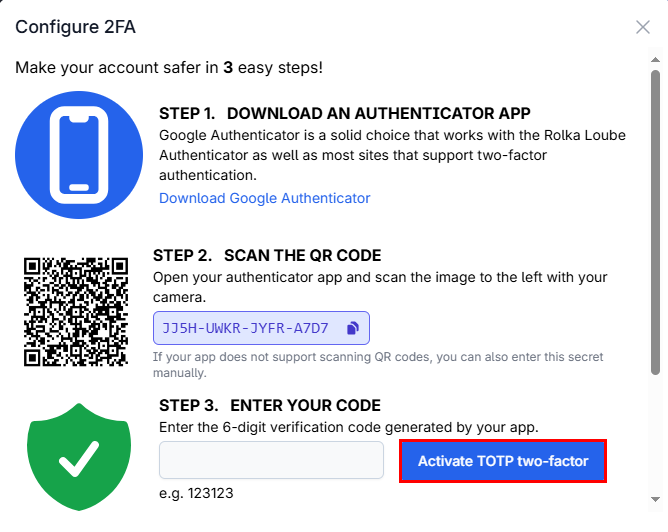
Select Setup TOTP two-factor. The Configure 2FA page appears.
-
Follow the provided instructions to set up an authenticator app
-
Enter the code generated by your app.
-
Select Activate TOTP two-factor.
Disable TOTP Two-Factor
If your TOTP two-factor authentication is already enabled but you want to disable it, use the following steps.
-
Sign in to the Rolka Loube Authenticator.
-
Select My Account from the navigation panel on the left. The Profile page appears.
Note: You can also select the blue button with your name in the top right corner. Then, select My Profile from the drop-down menu. -
Select the Security tab.
-
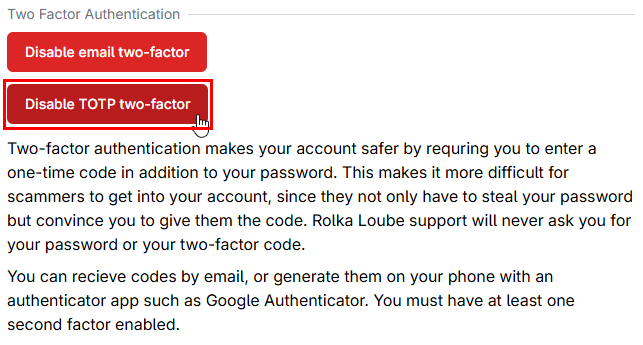
Select Disable TOTP two-factor.
You must have at least one form of two-factor authentication enabled. If you disable TOTP two-factor, then you must enable email two-factor.