
The title of your reimbursement claim will be auto generated.
Use the following steps to add a Reimbursement Claim without line items.
-
Log in to the NDBEDP Centralized Database. The NDBEDP Centralized Database Home page appears.
-
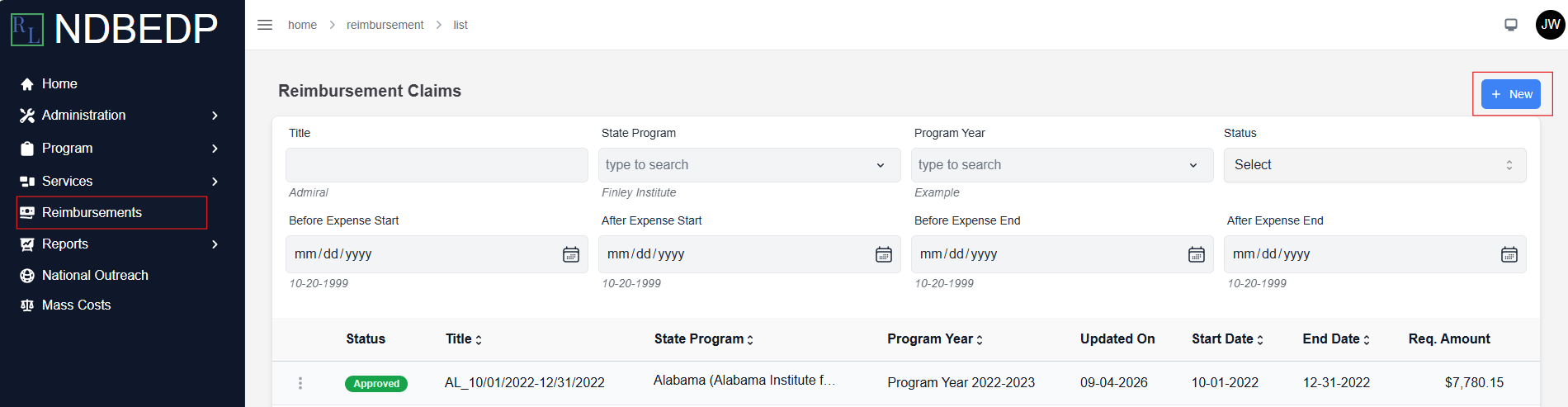
Select Reimbursements from the navigation panel.
-
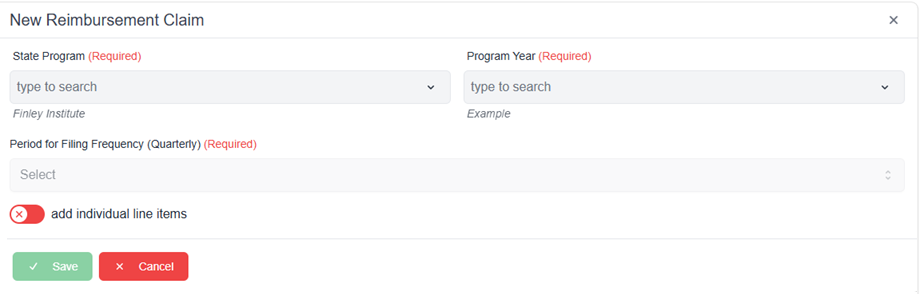
Select + New. The New Reimbursement Claim pop-up window appears.
-
Complete the required fields:
-
-
State Program
-
Program Year
-
Period for Filing Frequency
-
-
Deselect the add individual line items toggle.
-
Select Save. The message Successfully Created Reimbursement! appears in green.
Note: See Modify a Reimbursement to add line items later.