
This function requires the assign_roles role.
Use the following steps to grant an account additional roles or remove existing roles.
-
Sign in to the Rolka Loube Authenticator.
-
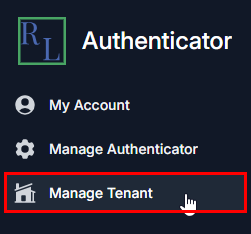
Select Manage Tenant from the navigation panel on the left. The Select Tenant page appears.
-
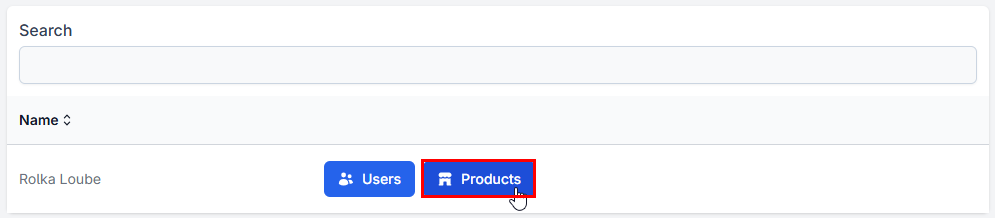
Select Products next to your assigned tenant. The Products page appears.

-
Select Roles next to the Rolka Loube Authentication Provider product to assign roles for the RL Authenticator. The Role Assignments page appears.
-
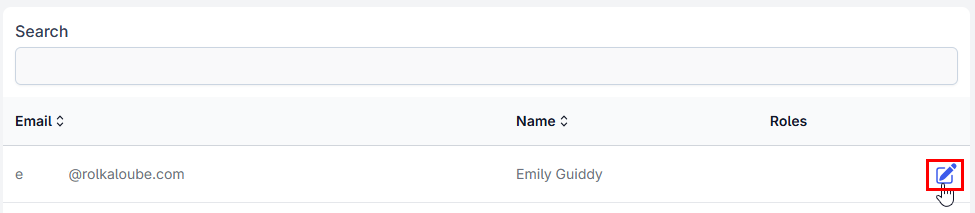
Select the pencil icon next to the user for which you want to assign roles.
-
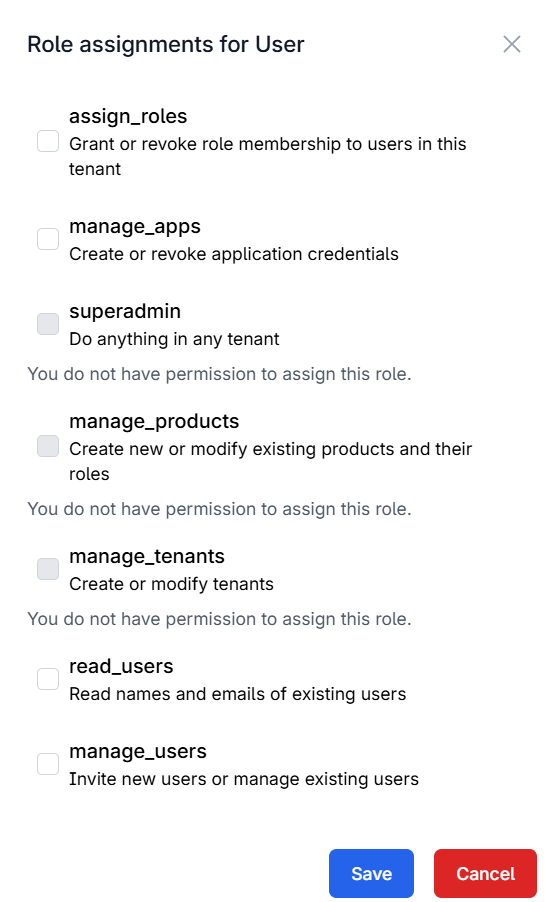
Select the checkbox(es) next to the roles you want to assign to the account or deselect the checkbox(es) next to the roles you want to remove.
-
Select Save.