The NDBEDP Centralized Database uses Rolka Loube’s (RL) Authenticator to manage users and roles. In order to add/remove users or roles, you must be an administrator for your entity in the RL Authenticator. If you are unsure who your administrator is, please contact the RL Help Desk for assistance.
Follow the steps for adding or removing a user in the RL Authenticator documentation. You may also disable or enable a user to remove temporary access.
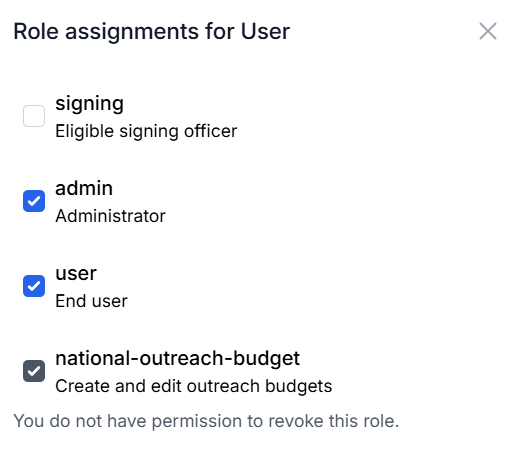
Follow the steps to assign or remove a user’s roles in the RL Authenticator documentation. Select NDBEDP Centralized Database under your product listings. The following roles are used within the Centralized Database:
-
signing - An eligible signing officer. This should only be selected once the form has been emailed to Rolka Loube. Please see Adding an Authorized Signer.
-
admin- An administrator for the CD application. Only individuals with the admin role will see navigation items under Administration.
-
user - A general user for the application. All users must be assigned this role to have access to log into and use the application.
-
national-outreach-budget - This is only used by Rolka Loube to assign permissions for the National Outreach.